

CN
MENU


 News
News
Blog

Standard keyboards are becoming a thing of the past, in the same time mechanical keyboard requirement has increased. Also, Keyboard manufacturers produce various types of keyboards for computers to meet our diverse individual needs.
People have different favor for the size and layout of keyboards for their computers. It's not a science, and there is no a such thing like “best types of keyboards” in reality world. Whether you are using numeric keypad or not, how much desktop space you have, or which keys you use regularly, these factors will affect your decision of keyboard. This article will take you to understand the various types of keyboards sizes and layouts, in order to find the right type of keyboard for you.
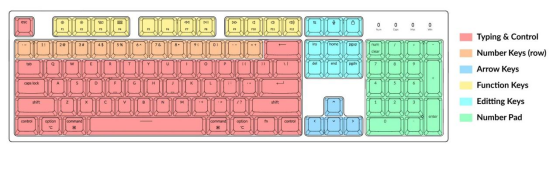
Picture is from “Keyboard Size & Layout Buying Guide”
What are keyboards size?
You may have saw types of computer keyboard layouts. But what exactly does keyboard size mean?
Specifically, keyboards size refers to the physical size of computer keyboard, which is directly influenced by the number of keys on the keyboard. Mechanical keyboard with more keys tend to be larger in size; oppositely, small size keyboards have fewer keys.
Another factor influencing modern keyboards size is the keyboard layout. Some layouts are more compact with smaller spacing between keys.
Here are some common keyboard layout types and sizes you may see in your daily work and gaming:
Full-Size Keyboard
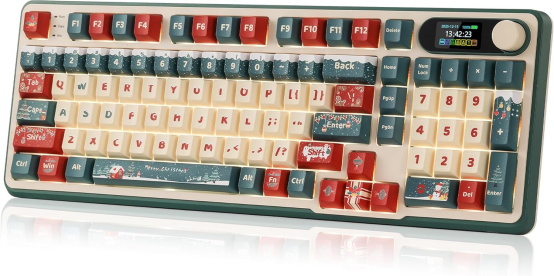
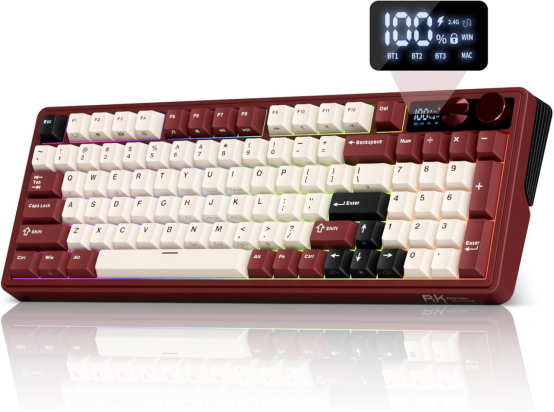
Full-size Keyboard is the most common keyboard you and I are currently using. Just because it is common,so it does not mean that full-size keyboard is the best choice for your daily life. Although this types of a computer keyboard is very common in our daily life, many people have better selections in their mind. Because full-size keyboards are too clunky or not accurate for fast typing. The 98 keys keyboard includes a full set of the key, such as function key, arrow keys, navigation keys, a numeric keypad, and a key layout for special characters. This key board is a better one for the user who need to use a variety of keys, including letters and numbers. Now, the Royal Kludge also sells full-size keyboards. The S98 and M100 are both full-size keyboard.
TKL Keyboard
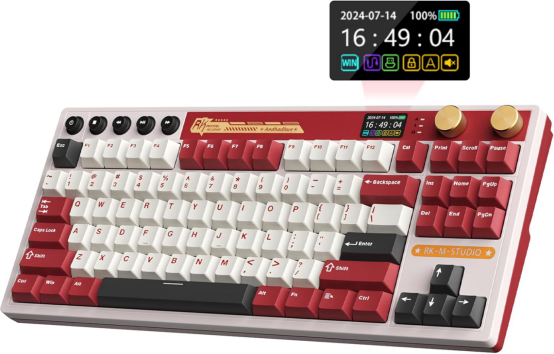
TKL keyboard is also referred to as 80% keyboard. It is a keyboard without a numeric keypad. This type of keyboard is a better choice for gamers and people who don't frequently use numerical operations. TKL keyboards remove the numeric keypad but are still full-size keyboards with 88 keys. This kind of key board layout makes operation more convenient, and adapting to this key board is also very simple.
75 Keyboard
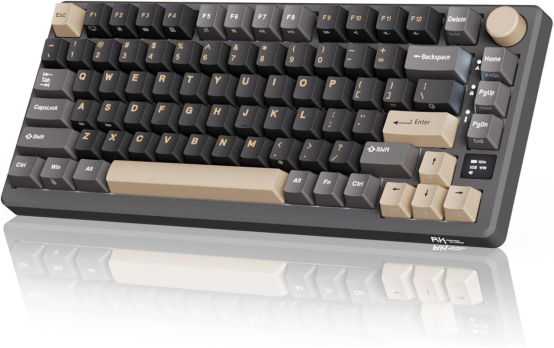
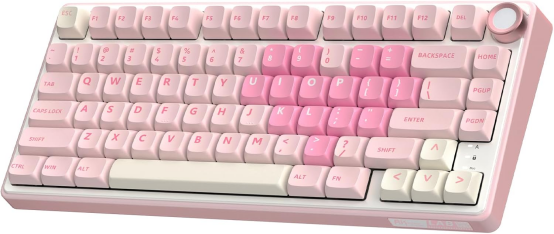
The 75% layout keyboard is designed by removing 4 keys from the TKL (Tenkeyless) keyboard, specifically omitting 2 navigation keys and the Pause key. This mechanical keyboard layout has been optimized to position keys closer to the CTRL key, giving the keyboard a sleek and compact appearance with keys neatly adjacent to each other. However, its functionality is not affected compared to TKL keyboards, so if you are looking for a more compact keyboard design, you can choose a 75-key keyboard. Royal Kludge also released some 75% layout keyboards, like R75 mechanical keyboard, M75 mechanical keyboard low profile keyboard.
60 Keyboard
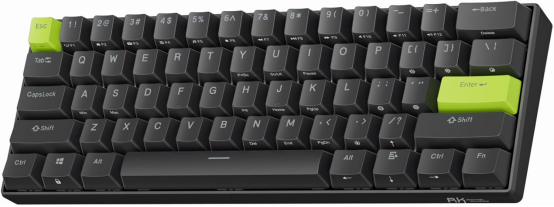
The 60-key keyboard layout is one column less wide than the 65-key layout. This type of keyboard does not have arrow keys, a numeric keypad, navigation keys, or even a function key area.
Live streamers have made the 60-key keyboard layout popular. If you prefer the tidy appearance or space-saving features design, 60 keyboard will be your favorite. However, if you use the function or arrow keys frequently, I recommend skipping the 60% Keyboard.
Royal Kludge also has this 60 key keyboard in the Amazon. The C61 is an excellent keyboard with RT triggers in the 60 key layout, which can help you have better performance in games.
What is Keyboard Layouts?
The keyboards layout affects how safe, smooth, and fast you can type. Some users may have noticed the difference that keyboard layouts may change their gaming experience. And they would like to know how to choose the right layout for a better using experience.
I’m very confident you’ve also seen keyboard layouts that aren’t the same as what you remembered from your early years. These layouts didn’t come out of nowhere—truth be told, keyboards with different configurations have long been around.
If you want to know that which keyboard is suit for you, you also need to learn more knowledge about the keyboard layout as well. Each keyboard layout provide a different purpose and has unique functionality. We will shared their details below in order to help you have a better understanding. So, let's go on to their details.
QWERTY Keyboard
Nowadays,QWERTY keyboard layout is the most common layout we can find. At the same time, this type of keyboard layout is particularly popular in our daily lives. In the 1870s, the first typing layout was created. This arrangement was designed to be slow and ineffective so that typewriters could avoid jamming when typing too fast.
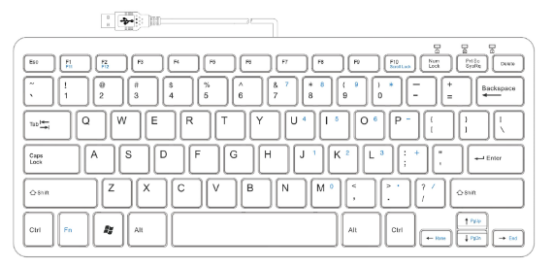
Picture is from “All You Need To Know About Different Keyboard Sizes & Layouts“
AZERTY Layout
The AZERTY Layout is quite popular in Europe and Asia, especially the countries where communicate by French. Although this layout is quite similar to QWERTY keyboards, there are some little differences here. The makers replaced the Q key with the A key and the W key with the Z key. That's how it got the name AZERTY instead of QWERTY.
It still has a few changes in the right-hand side key set. You can find the semicolon key in place of the M key (as seen in QWERTY layouts). One other difference is the number row. For QWERTY keyboard users, for example, the common way to type numbers is using the top numerical key row. Usually, the user needs to press the Shift key so that they can type the numbers.
Overall, it can be a useful keyboard layout if you are typing French instead of English.
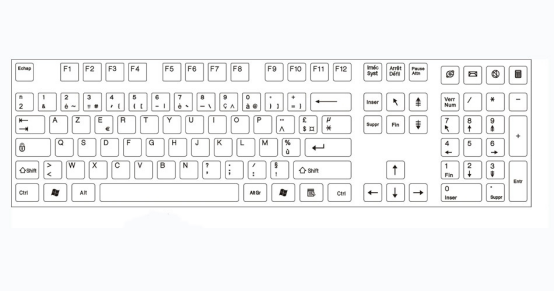
Picture is from X
QWERTZ Layout
Like AZERTY layouts , QWERTZ is one of those keyboard layouts that are very similar to the QWERTY layout but with some modifications. People who live in Central Europe, especially those speaking German, typically use QWERTZ keyboards. Although you may often see QWERTZ keyboards in countries such as Germany, the Czech Republic, and Austria, the keyboard layout types may differ from country to country.
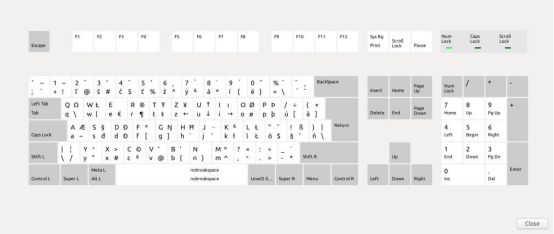
picture is from stackexchange.
Unconventional Keyboards
Unconventional Keyboards layout are not classified by size. That's what makes it be called non-traditional keyboard. This kind of keyboards include so many different category,such as ergonomic split mechanical keyboards, orthogonal linear keyboards, or Macropod keyboards.
Split keyboards divide the keyboard into two parts, creating an ergonomic separation for the left and right hands, thereby preventing slouching or shrugging on the shoulders. This kind of keyboards are often used as ergonomic programming keyboards.
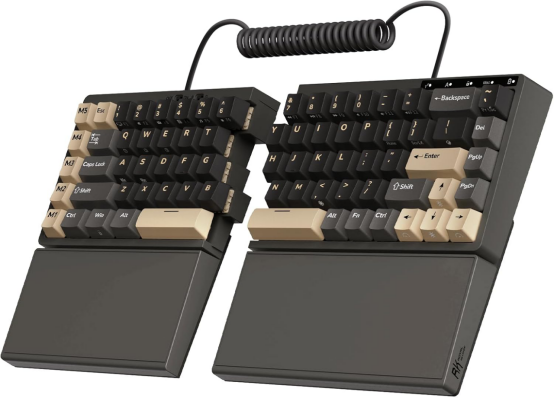
Finally, the macro keyboard is a small keyboard that can be used as an supplementary accessory to a regular keyboard.
Conclusion
With the progress of technology and the diversity of user requirements, different types of available keyboards and layouts have emerged to satisfy the diverse needs of different users. Whether it's full-size keyboards, compact keyboards, or different layouts such as QWERTY, AZERTY, QWERTZ, each design has its unique advantages and is suited to specific scenarios. Choosing a right keyboard is not only dependent on personal typing habits but also closely related to the keyboard's functionality, size, and layout. In the variety types of keyboard design, it is essential to understand your personal needs and preferences. Selecting the keyboard that best suits you can enhance typing efficiency, improve the typing experience, and better satisfy the demands of daily work or gaming.
Q&A
What causes the keyboard to use the QWERTY layout?
The QWERTY layout first appeared on typewriters to minimize paper jams. If a typist types too fast, the keys on the keyboard will jam. However, QWERTY keyboards reduced the speed of typing and minimized mechanical key jams. Since they are the oldest keyboard layout, people continue to use them to this day.
How do I change the keyboards layout in Windows 11?
If you have added a keyboard layout to Windows 11, you need to go to the Keyboard Layout option in the taskbar and select the keyboard layout you want to use. An easier way to switch between keyboard layouts is pressing the Windows key and the space bar at the same time.
How can I choose my best keyboard among many types of keyboards layout?
Although the QWERTY keyboard is currently the oldest and most widely used keyboard layout, the Dvorak keyboard is often considered a more efficient choice for users who seeking an ergonomic typing experience. Thanks to a more optimized key layout, users of the Dvorak keyboard can achieve a significant increase in typing speed compared to the QWERTY keyboard after long-term practice.
How to define a standard layout?
Although there are many types of keyboard layouts, the QWERTY keyboard is the standard keyboard layout. Because it could find on most keyboards that use the Latin-based English alphabet. It is also one of the oldest keyboard layouts used by typists on typewriters.
Is the keyboard layout important?
That's right, keyboard layout greatly affects how you type, how fast you type, and determines how safe you are t The right layout not only reduces the risk of wrist injuries, but also helps increase efficiency

 Solve Mechanical Keyboard Noise Troubles!
